
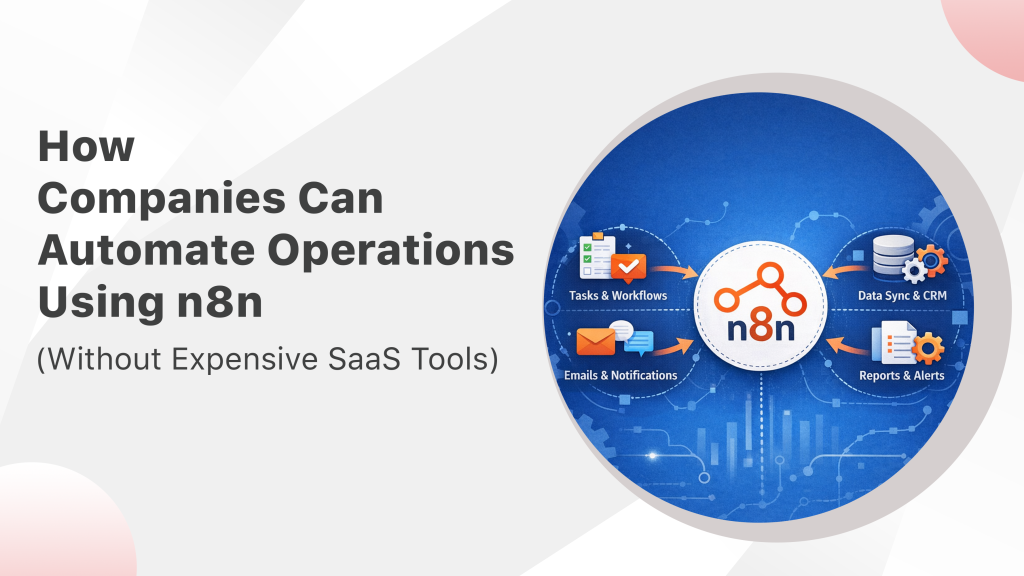
Businesses today rely on dozens of digital tools to manage their operations — CRMs, marketing platforms, messaging apps, accounting software, and internal collaboration tools. While these platforms improve productivity, they often create a new problem: disconnected systems that require manual coordination.
Employees end up copying data from one platform to another, sending manual notifications, updating spreadsheets, and performing repetitive tasks that slow down operations.
This is where workflow automation becomes essential.
Automation tools allow businesses to connect different systems and automatically trigger actions based on events. Among the most powerful solutions available today is n8n, an open-source workflow automation platform that enables companies to build advanced automation workflows without relying on expensive SaaS services.
In this guide, we will explore how businesses can use n8n automation to streamline operations, reduce manual work, and build scalable systems using open source automation tools.
What is n8n?
n8n (short for “nodemation”) is an open-source workflow automation platform that allows businesses to connect applications, automate processes, and create powerful integrations between different systems.
In simple terms, n8n acts as a bridge between different software tools. It allows you to create automated workflows where an action in one system triggers actions in other systems.
For example:
- When a new lead fills out a form on your website
- The data is automatically added to your CRM
- A WhatsApp message is sent to the customer
- The sales team receives a notification
All of this can happen automatically without human intervention.
Unlike traditional automation tools that require coding expertise, n8n provides a visual workflow builder where users can design automation processes by connecting different nodes together.
Some of the key features of n8n include:
- Visual workflow editor
- Support for hundreds of integrations
- Custom API integrations
- Self-hosting capability
- Advanced logic and conditions
- Scalable automation architecture
Because it is open source, businesses can fully customize and control their automation environment.
Why Companies Are Switching from Zapier to n8n
For many years, tools like Zapier dominated the automation space. While Zapier is easy to use, it comes with several limitations that become costly for growing businesses.
As companies scale their automation needs, many are switching to n8n workflow automation for greater flexibility and cost efficiency.
1. High SaaS Costs
Automation tools like Zapier charge based on the number of tasks executed. As businesses create more automation workflows, the monthly costs increase significantly.
For companies running hundreds or thousands of automated tasks, these costs can become substantial.
With n8n, businesses can self-host the platform, eliminating expensive subscription fees.
2. Greater Customization
Many SaaS automation tools offer limited customization options. If a business requires complex logic or custom integrations, it often becomes difficult to implement within these platforms.
n8n provides far greater flexibility by allowing:
- Custom scripts
- API integrations
- advanced logic conditions
- multi-step workflows
This makes it suitable for companies with more complex automation requirements.
3. Data Control and Security
Data privacy and security are major concerns for modern organizations.
When businesses use SaaS automation platforms, sensitive data flows through third-party servers. For industries dealing with customer data, financial information, or proprietary systems, this may raise compliance concerns.
With n8n’s self-hosted automation, businesses maintain full control over their infrastructure and data.
4. Scalability for Growing Businesses
As companies expand their operations, automation workflows become more complex.
n8n allows businesses to build large-scale automation systems that integrate multiple platforms, APIs, and internal tools without being restricted by SaaS platform limitations.
Typical Automation Workflows Businesses Can Build with n8n
One of the biggest advantages of n8n automation is its flexibility. Businesses can automate a wide range of operational tasks across different departments.
Below are some of the most common workflows companies automate using n8n.
CRM Automation
Customer Relationship Management (CRM) systems are essential for tracking leads, managing customer interactions, and organizing sales pipelines.
However, CRM data often needs to be updated manually when leads arrive from different sources.
With n8n workflow automation, businesses can automatically sync data across systems.
Examples of CRM automation include:
- Capturing leads from website forms
- Automatically adding leads to CRM platforms
- Updating customer profiles
- Assigning leads to sales representatives
- Triggering follow-up messages
This ensures that sales teams always have up-to-date customer information without manual data entry.
Lead Routing Automation
For companies receiving a high volume of leads, quickly assigning leads to the right team member is critical.
n8n can automatically route leads based on predefined conditions such as:
- location
- product interest
- industry
- lead source
For example:
- Leads from North America go to the US sales team
- Leads interested in enterprise products go to senior sales reps
- High-value leads trigger priority notifications
Automated lead routing ensures faster responses and improves conversion rates.
Slack Notifications for Teams
Many organizations rely on internal communication tools like Slack to coordinate team activities.
However, manually sending notifications about new leads, support tickets, or system events can become time-consuming.
n8n can automatically send notifications when important events occur.
Examples include:
- Alerting the sales team when a new lead arrives
- Notifying developers when system errors occur
- Informing managers when high-value deals are created
- Sending reminders for pending tasks
This keeps teams informed without requiring manual updates.
Invoice Generation Automation
Financial operations often involve repetitive administrative work, especially when creating invoices and sending payment reminders.
n8n can automate several financial workflows, including:
- Generating invoices after an order is placed
- Sending invoices to customers via email
- Updating accounting systems
- Sending automated payment reminders
This reduces administrative workload and ensures consistent financial processes.
Example Workflow: Automating Lead Management
To better understand the power of n8n workflow automation, let’s walk through a common business scenario.
Scenario: Website Lead Automation
A company receives leads through its website contact form. Without automation, the process might involve several manual steps:
- Downloading the lead data
- Adding it to the CRM
- Sending a confirmation message
- Informing the sales team
- Scheduling follow-ups
This process can easily take several minutes per lead.
With n8n automation, the entire workflow can be automated.
Step 1: Website Form Submission
A potential customer fills out a contact form on the company website.
This triggers a webhook in n8n.
Step 2: Add Lead to CRM
The workflow automatically adds the lead data to the company’s CRM system.
Customer details such as:
- name
- phone number
- company name
- message
are stored in the database.
Step 3: Send WhatsApp Message
The system sends an instant WhatsApp message to the lead confirming that the inquiry has been received.
This immediate response improves customer experience.
Step 4: Notify the Sales Team
The sales team receives a Slack notification informing them that a new lead has arrived.
The message includes the lead’s details and contact information.
Step 5: Schedule Follow-Up
If the sales team does not respond within a certain timeframe, the system can automatically trigger a reminder.
This ensures that no leads are forgotten or ignored.
The entire process happens automatically, allowing the sales team to focus on closing deals instead of managing administrative tasks.
Benefits of Self-Hosted Automation
One of the biggest advantages of using n8n is the ability to self-host automation infrastructure.
Self-hosting provides several benefits for businesses looking to scale automation while maintaining control over their systems.
Lower Long-Term Costs
SaaS automation tools often charge based on usage, which means costs increase as businesses automate more processes.
With self-hosted automation, companies pay only for server infrastructure, which is typically far more affordable.
This makes n8n a cost-effective solution for businesses running large automation systems.
Full Control Over Data
Data privacy is an important concern for many organizations.
Self-hosting allows companies to keep all automation workflows and data within their own infrastructure, improving security and compliance.
This is especially important for industries dealing with sensitive customer information.
Greater Flexibility
Self-hosted automation platforms provide greater freedom to customize workflows.
Businesses can:
- create custom integrations
- connect internal systems
- modify automation logic
- scale infrastructure as needed
This level of flexibility is often not possible with SaaS platforms.
Unlimited Automation Possibilities
Because n8n is open source, businesses are not limited by pre-built integrations.
Developers can connect any application that provides an API, allowing companies to build truly custom automation ecosystems.
When Companies Should Hire an Automation Consultant
While automation tools like n8n are powerful, implementing a scalable automation system requires careful planning and expertise.
Businesses often benefit from working with an automation consultant when:
Workflows Become Complex
As automation systems grow, workflows may involve multiple systems, conditional logic, and data transformations.
An experienced consultant can design efficient automation architectures.
Systems Need Integration
Companies often use multiple platforms such as CRM systems, accounting software, messaging platforms, and project management tools.
Automation consultants help integrate these systems into a unified workflow environment.
Businesses Want to Scale Automation
Organizations planning to automate large portions of their operations need scalable infrastructure and optimized workflows.
Consultants can design systems that grow alongside the business.
Custom Automation Solutions Are Needed
Some automation requirements cannot be solved with pre-built integrations.
Automation experts can build custom workflows, APIs, and integrations tailored to specific business needs.
The Future of Open Source Automation
As businesses increasingly rely on digital systems, automation will become a core part of operational strategy.
Open source automation tools like n8n are enabling companies to build powerful automation systems without being locked into expensive SaaS platforms.
Combined with technologies like:
- AI agents
- messaging automation
- CRM systems
- workflow orchestration
automation platforms will continue to evolve into intelligent systems that manage complex business operations.
Companies that embrace automation early will be able to scale faster, operate more efficiently, and deliver better customer experiences.
Final Thoughts
Automation is no longer limited to large enterprises with massive IT budgets. Today, businesses of all sizes can automate operations using open source automation tools like n8n.
From CRM automation and lead routing to invoice generation and internal notifications, n8n workflow automation enables organizations to streamline processes and reduce manual work.
By implementing the right automation strategy, companies can save time, reduce operational costs, and build scalable systems that support long-term growth.
For businesses looking to move beyond expensive SaaS automation tools, n8n offers a powerful and flexible alternative for building modern automation infrastructure.

14 Responses