
In today’s fast-paced business environment, companies often struggle with chaotic workflows, disconnected processes, and inefficient operations. These challenges slow down productivity, increase errors, and make it difficult for business owners to maintain control.
Enter Odoo workflows—a powerful solution that streamlines business processes, improves efficiency, and provides clear visibility across departments. With Odoo business process management and ERP workflow automation, organizations can transform chaos into control, ensuring smooth and predictable operations.
In this article, we’ll explore how Odoo simplifies business workflows, real-life Odoo workflow examples, and the benefits of leveraging workflow automation software for sustainable growth.
The Challenge: Managing Complex Business Processes
Most growing businesses face workflow challenges such as:
- Multiple departments using different software tools
- Manual approvals causing delays
- Lack of visibility into operations
- Repetitive tasks consuming valuable time
- Data inconsistencies due to disconnected systems
These issues lead to operational inefficiencies, poor customer service, and slow decision-making. Traditional business methods often fail to address these challenges, requiring a more integrated and automated solution.
How Odoo Simplifies Business Workflows
Odoo process management enables businesses to centralize, automate, and monitor workflows across all departments. Its ERP workflow automation capabilities allow companies to define processes, automate repetitive tasks, and gain complete visibility into operations.
Key features include:
- Automated Workflow Management: Define rules, triggers, and approvals for seamless process execution.
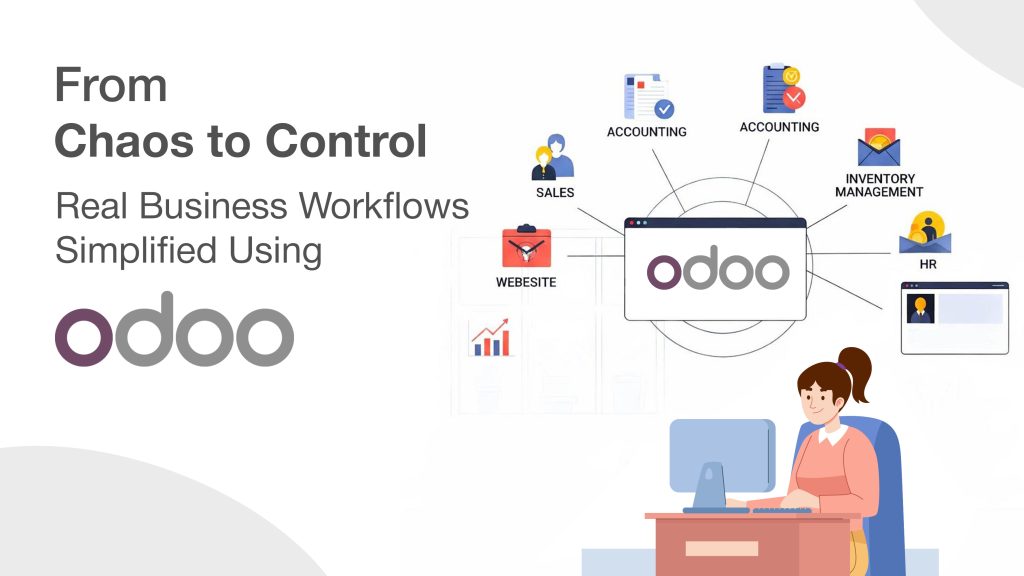
- Integrated Modules: Connect sales, inventory, finance, HR, and projects for a unified workflow.
- Real-Time Monitoring: Dashboards and reports provide instant insights into task progress and bottlenecks.
- Customizable Workflows: Tailor processes to business needs without complex programming.
By implementing workflow automation software like Odoo, businesses can reduce errors, save time, and improve overall operational efficiency.
Real-Life Odoo Workflow Examples
Here are some practical examples of Odoo workflows in action:
1. Sales Order to Delivery Workflow
A typical sales process involves multiple steps: lead creation, quotation, order confirmation, inventory check, and delivery.
Odoo workflow solution:
- Automatically convert confirmed quotations into sales orders.
- Check stock levels and trigger procurement if required.
- Generate delivery orders and invoices automatically.
Benefit: Reduces manual coordination, speeds up order processing, and ensures accuracy.
2. Purchase Request to Vendor Approval
Managing purchase requests manually often delays procurement and increases errors.
Odoo workflow solution:
- Employees submit purchase requests via Odoo.
- Automatic approval routing based on defined rules (e.g., budget, department).
- Generate purchase orders and notify vendors without manual intervention.
Benefit: Streamlines procurement, maintains accountability, and accelerates supply chain operations.
3. Project Task Management
Projects with multiple tasks, deadlines, and resources can easily become chaotic.
Odoo workflow solution:
- Assign tasks automatically based on project phase and team member availability.
- Track progress with real-time dashboards.
- Generate automatic reminders for pending tasks.
Benefit: Ensures projects stay on schedule and resources are efficiently utilized.
4. Employee Leave and HR Approval Process
HR processes, such as leave requests or expense approvals, are often time-consuming.
Odoo workflow solution:
- Employees submit requests through the system.
- Automatic notifications are sent to managers for approval.
- Approved leaves are synced with payroll and calendars.
Benefit: Reduces administrative burden and ensures transparent HR operations.
5. Invoice Approval and Accounting Workflow
Manual accounting workflows can delay financial reporting and create errors.
Odoo workflow solution:
- Automatically route invoices for approval based on amount or department.
- Link approved invoices to payment schedules and accounting entries.
- Generate financial reports automatically.
Benefit: Streamlines finance processes, reduces human error, and improves cash flow management.
Benefits of Using Odoo Workflow Automation
Implementing Odoo workflow automation offers numerous advantages for businesses of all sizes:
- Enhanced Efficiency: Automates repetitive tasks, freeing employees to focus on value-added activities.
- Improved Accuracy: Reduces errors caused by manual data entry and approvals.
- Full Visibility: Dashboards and reports provide insight into every stage of a process.
- Faster Decision-Making: Real-time information allows managers to act quickly and effectively.
- Scalability: Workflows can be adapted and expanded as the business grows.
- Better Compliance: Ensures processes follow standard operating procedures and audit requirements.
By standardizing processes, businesses can optimize operations with Odoo, reducing chaos and improving control over daily activities.
Business Process Optimization with Odoo
Business process optimization with Odoo goes beyond automation—it transforms the way organizations operate:
- Identify Bottlenecks: Use Odoo dashboards to pinpoint process delays and inefficiencies.
- Standardize Operations: Create repeatable workflows to ensure consistency across departments.
- Monitor Performance: Track key metrics like task completion rates, approval times, and resource utilization.
- Continuous Improvement: Adjust workflows based on analytics to improve efficiency and outcomes.
Optimizing processes using Odoo business process management results in smoother operations, lower costs, and higher productivity.
How to Simplify Workflows Using Odoo
- Map Existing Processes: Document current workflows and identify inefficiencies.
- Define Automation Rules: Use Odoo to automate repetitive tasks, approvals, and notifications.
- Integrate Modules: Connect relevant modules (sales, inventory, finance, HR) to ensure seamless data flow.
- Train Employees: Provide training to ensure staff can use automated workflows effectively.
- Monitor and Refine: Regularly review workflow performance and optimize as the business evolves.
This approach ensures that businesses can simplify business workflows using Odoo while maintaining flexibility and control.
Conclusion: From Chaos to Control with Odoo
Unmanaged workflows create chaos, slow down operations, and frustrate employees. Odoo workflows and ERP workflow automation provide a structured, automated, and transparent way to manage business processes.
With real-life Odoo workflow examples, businesses can:
- Automate approvals, tasks, and notifications
- Improve operational efficiency and accuracy
- Gain real-time visibility into all processes
- Optimize workflows for continuous improvement
By leveraging Odoo process management, organizations can transform from reactive, chaotic operations to proactive, controlled, and optimized workflows. This ensures smoother operations, faster decision-making, and sustainable business growth.